Review Comments (0) Screenshots (5) Questions & Answers (0) Votes (0) Awards (3) Wiki  
-Please log in to rate
0 0/5 (0)
-Clsid2
-6.1.7600
- sourceforge.net
-Open source
- 281 people
Download DirectVobSub

457.72 KBDownloaded 185 times


Review

This review applies to version 2.3 The latest version of this software will soon be reviewed by our informers.

DirectVobSub is a DirectShow filter for displaying subtitles. It works with many different formats, but it is usually associated with .srt files. DirectVobSub now also goes by the name of VSFilter. The functionality is the same, and even in most downloads, there is no reference to VSFilter, you still are getting DirectVobSub. On the official website, when you download this, you will only get a .dll file that you have to register using the Run application from the Start menu. On third-party websites, you get an installation package.

When you have DirectVobSub installed and the video file and the subtitle file are both in the same directory with the same names (except for the extension), the subtitles get mixed into the image automatically. This works great with video players that are not keen on playing .srt subtitle files, like Windows Media Player.

Whenever DirectVobSub detects a subtitle file, it will launch an icon on the system tray area. There, you can choose to hide the subtitle, or you can access the application's settings. You can change almost everything about the subtitle's size, font, position, etc. It doesn't matter what the video format is, DirectVobSub will display a subtitle on top of the video if the filenames match. DirectVobSub is an important part of most codec packages. They all install it by default. So, if you don't like VLC player and decide to stick with Windows Media Player (you hardly should, though), DirectVobSub is the perfect solution for you. I would even suggest to part with the official release and get this application from an installation package, to ensure a correct installation.
Advantages
  • Displays subtitles in video players that don't support them.
  • Many options to customize subs.
Disadvantages
  • The official release could be easier to install.

Reviewed by: José Fernández

Reviewer rating: Editor's rating 5

Screenshots

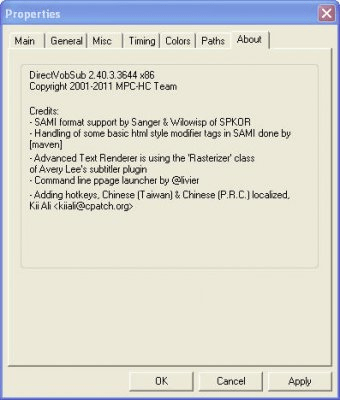
About About Main options Main options General options General options Menu Menu
All 5 screenshots

Latest comments


There are no comments, be the first one!
Add new comment
Tag cloud
Download siClient

Email Address:

Password:

Register now »

Forgot password?

Copyright © 2009, Informer Technologies, Inc. About| Privacy and terms| Help| Feedback